Ein schlanker Quellcode-Editor mit Syntax-Hervorhebung, integriertem Assembler, PE-Prüfung und Debugger für 32-Bit-Windows-Programme – und für DOS-Programme in QEMU mit FreeDOS.
A lean source editor with syntax highlighting, an integrated assembler, PE validation and a debugger for 32-bit Windows programs – and for DOS programs in QEMU with FreeDOS.
Windows 32-Bit · keine Installation nötig · kostenlos
Windows 32-bit · no installation required · free
Alles, was man zum Schreiben, Übersetzen und Debuggen von Assembler-Programmen braucht – in einem Programm.
Everything you need to write, assemble and debug assembly programs – in a single application.
Eigene Editor-Komponente ohne Fremdbibliotheken. Hervorhebung für x86-Assembler (NASM/MASM, Intel-Syntax), C und Pascal/Delphi.
Custom editor component without third-party libraries. Highlighting for x86 assembly (NASM/MASM, Intel syntax), C and Pascal/Delphi.
Erzeugt aus .asm-Dateien eine EXE neben der Quelldatei. Fehler erscheinen im Ausgabefenster, die erste Fehlerzeile wird markiert.
Builds an EXE next to the source file from .asm files. Errors appear in the output window, the first error line is highlighted.
Jede erzeugte EXE wird vor dem Start geprüft: Header, Sections, Einsprungpunkt, Importe – existieren DLLs und Funktionen?
Every generated EXE is validated before launch: header, sections, entry point, imports – do the DLLs and functions exist?
Haltepunkte, Step Over, Step Into, Pause und Stop – auf Quellzeilen bezogen. Register, Stack und Speicher im Blick.
Breakpoints, step over, step into, pause and stop – mapped to source lines. Registers, stack and memory at a glance.
DOS-Programme (z. B. der nachgebaute TPC.EXE) starten in QEMU mit FreeDOS – mit Haltepunkten und Quellzeilen wie unter Windows.
DOS programs (e.g. the rebuilt TPC.EXE) run in QEMU with FreeDOS – with breakpoints and source lines just like on Windows.
Disassembler für PE- und DOS-MZ-Dateien: Code markieren, analysieren, kommentieren und als .asm exportieren.
Disassembler for PE and DOS MZ files: mark code, analyze, comment and export as .asm.
Übersichtlich, schnell und auf Assembler zugeschnitten.
Clean, fast and tailored to assembly.
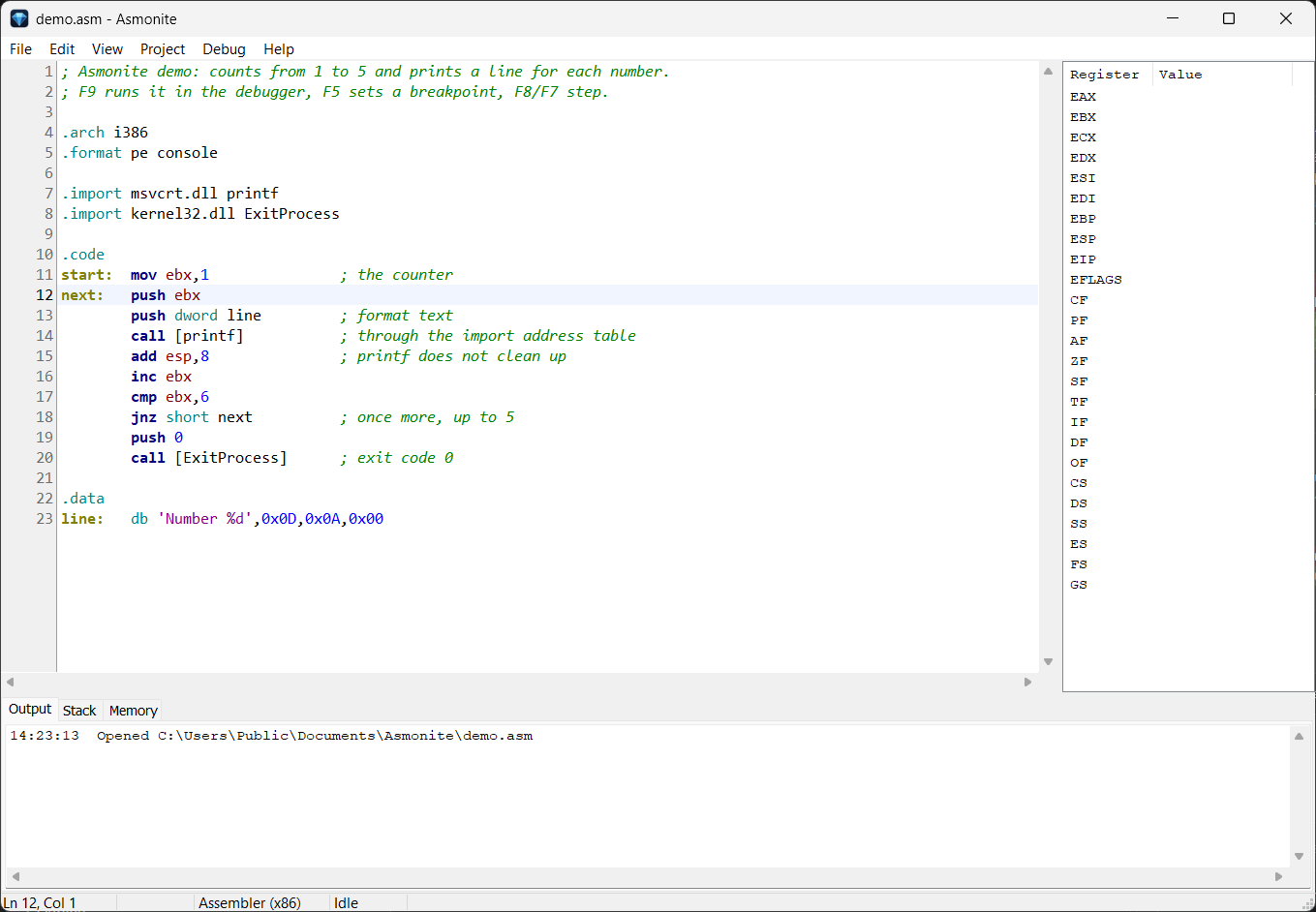
printf über die Importtabelle.
The editor with a small program: a loop, a call of printf through the import table.
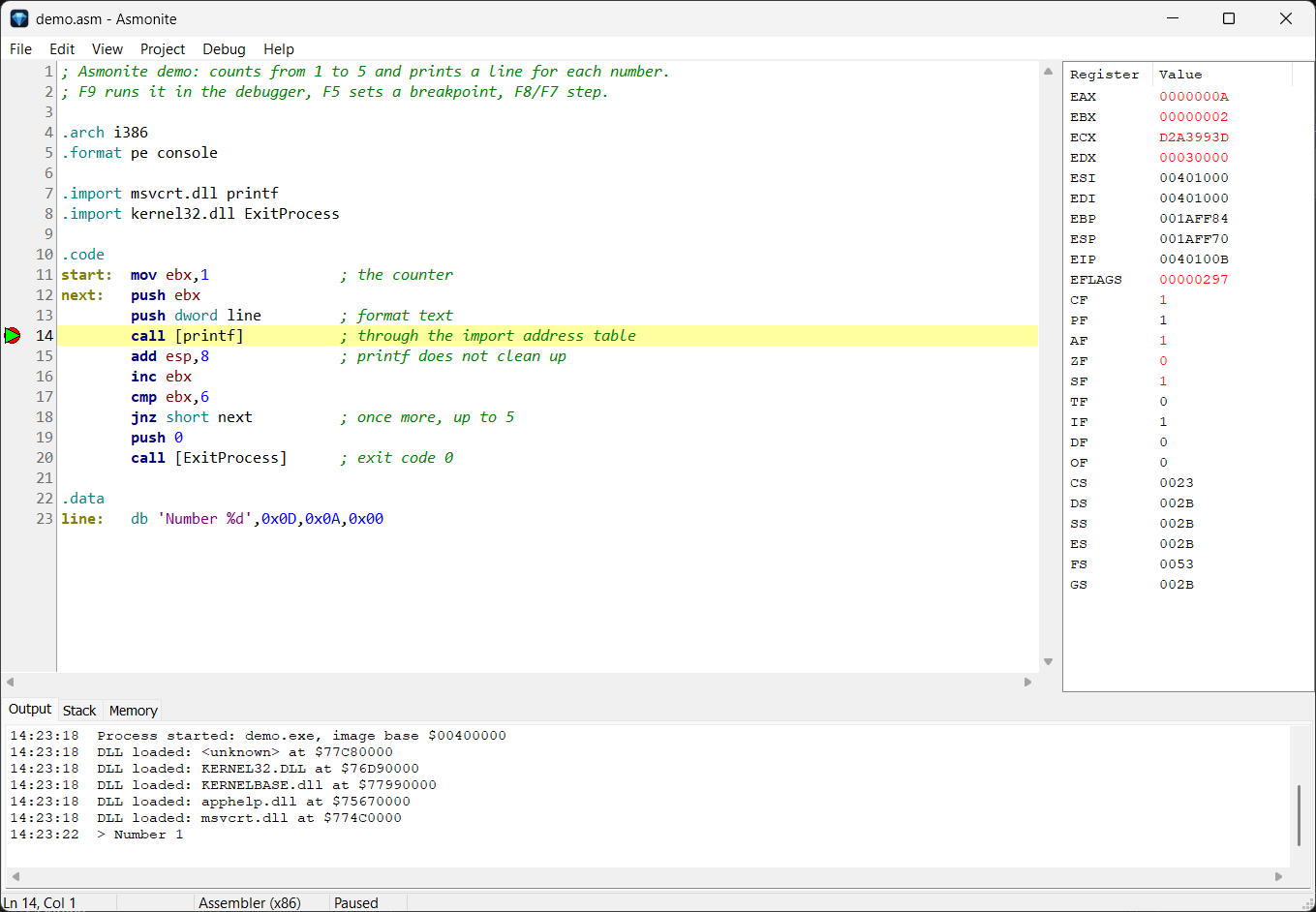
Schritt für Schritt durch das Programm – mit voller Kontrolle über Register, Stack und Speicher.
Step through your program – with full control over registers, stack and memory.
esp/ebp/eipesp/ebp/eip> im Ausgabefenster> in the output window
AsmoniteDis – der Disassembler
AsmoniteDis – the disassemblerBestehende Programme verstehen und wieder in Quelltext verwandeln.
Understand existing programs and turn them back into source code.
<programm>.adis gespeichert<program>.adis.asm mit Labels, den der Asmonite-Assembler wieder Byte für Byte zur selben Datei übersetzt.asm with labels, which the Asmonite assembler reassembles byte for byte into the same file
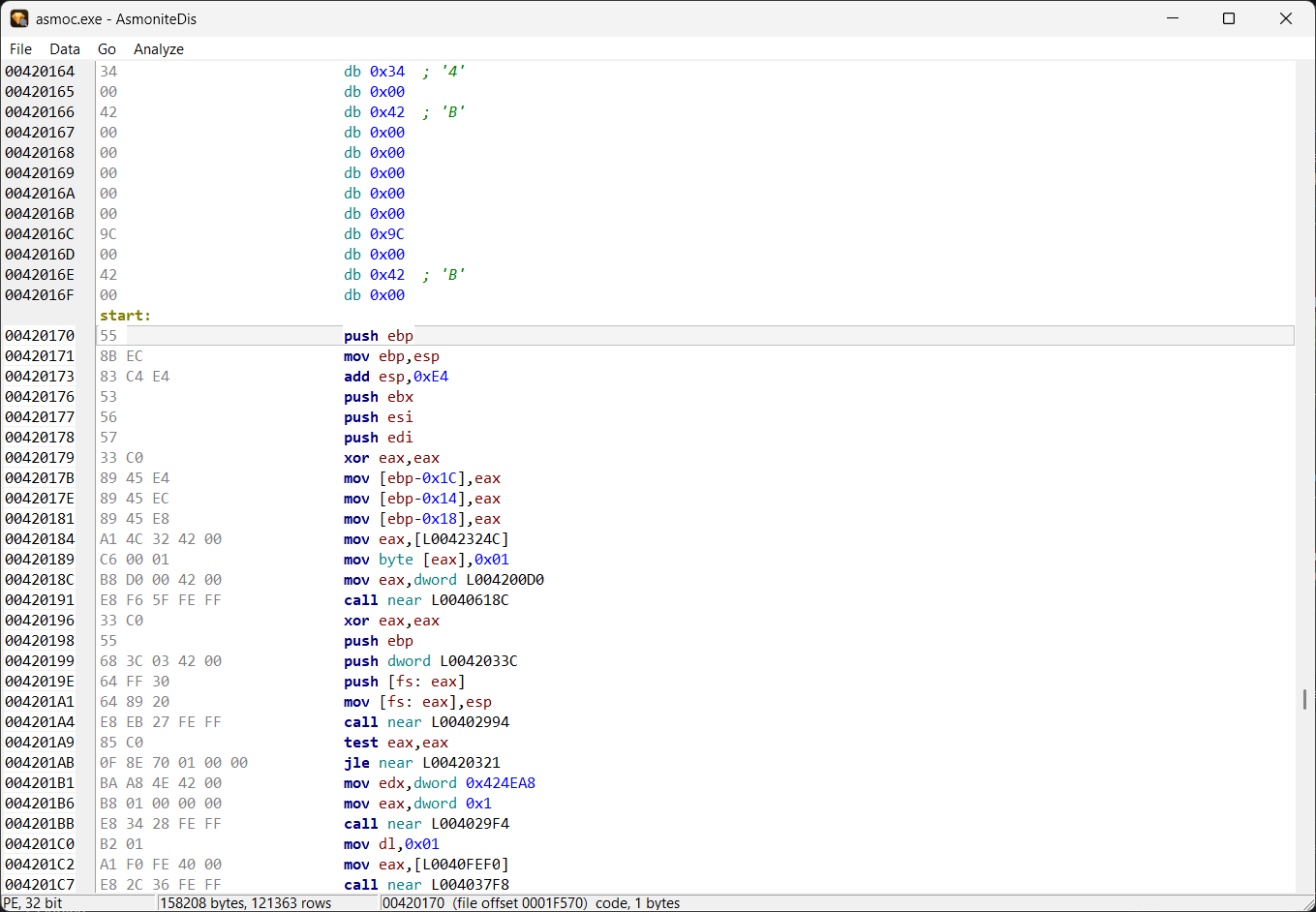
start, Sprungziele und Adressen als Labels.
After the analysis: the code at the entry point start, jump targets and addresses as labels.
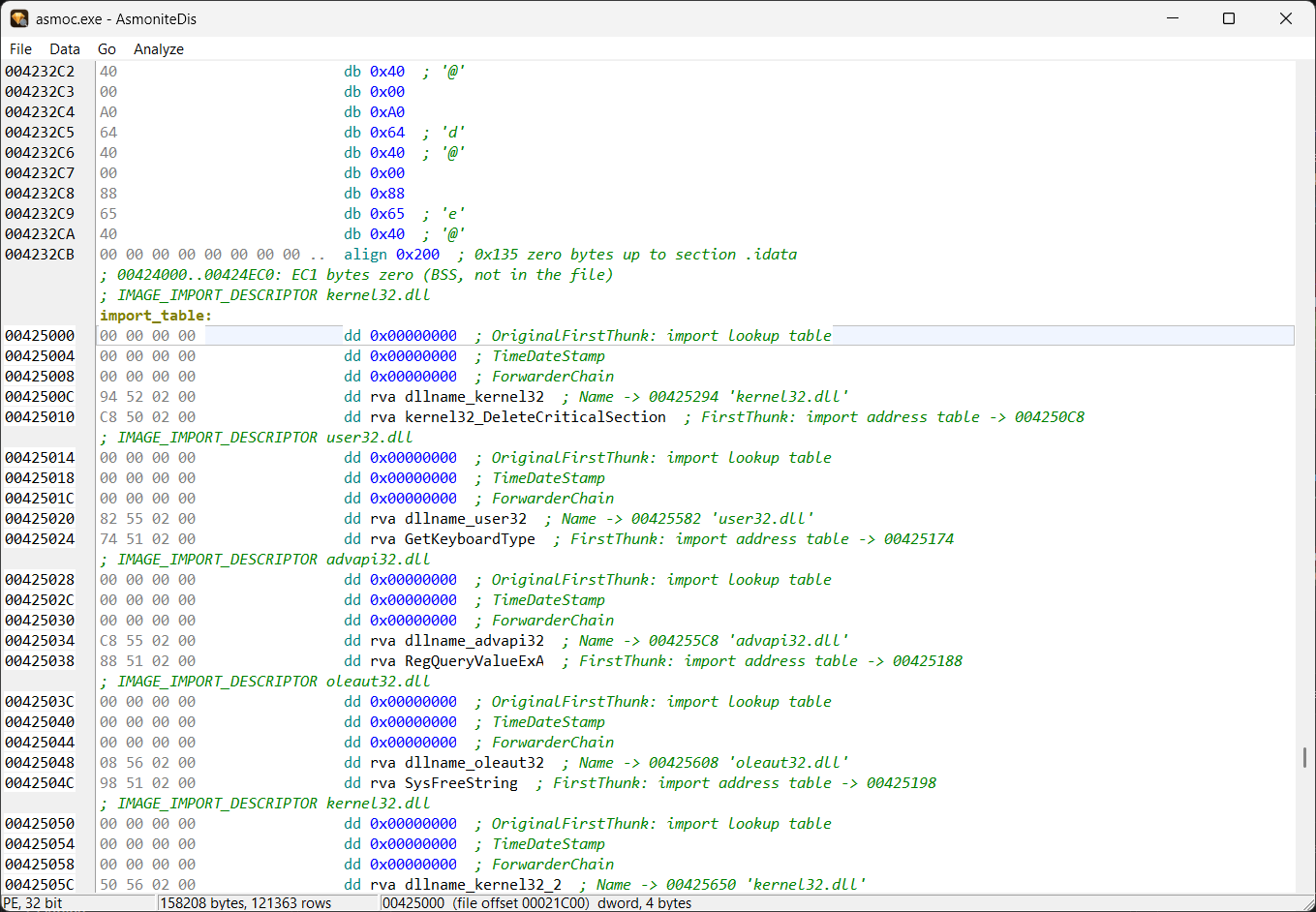
align.
The import table: every field with its size and name, RVAs as labels, padding as one align line.
Die wichtigsten Befehle auf einen Blick.
The most important commands at a glance.
| Taste | Key | Aktion | Action |
|---|---|---|---|
| Strg+F9 | Assemblieren (Editor-Inhalt → EXE neben der Quelldatei) | Assemble (editor content → EXE next to the source file) | |
| F5 | Breakpoint umschalten (oder Klick in den Gutter) | Toggle breakpoint (or click in the gutter) | |
| F9 | Starten / Fortsetzen | Start / continue | |
| F8 / F7 | Step Over / Step Into | Step over / step into | |
| F4 | Run to Cursor | Run to cursor | |
| Strg+F2 | Debug-Sitzung beenden | End debug session | |
| Strg+G | Gehe zu Zeile | Go to line | |
| Strg+F | Suchen | Find | |
| F3 / Umschalt+F3 | Weitersuchen vorwärts / rückwärts | Find next / previous | |
| Strg+H | Ersetzen | Replace | |
| Strg+Z / Strg+Y | Rückgängig / Wiederholen | Undo / redo |
Asmonite wird als einzelne ausführbare Datei bereitgestellt – ohne Installation.
Asmonite is provided as a single executable – no installation required.
Die IDE mit Editor, Assembler, PE-Prüfung, Debugger und AsmoniteDis.
The IDE with editor, assembler, PE validation, debugger and AsmoniteDis.
Hinweis: Beim ersten Start fragt Windows möglicherweise nach einer Bestätigung, da die Datei nicht signiert ist. Die Anwendung ist eigenständig und benötigt keine weiteren Dateien.
Note: On first launch Windows may ask for confirmation because the file is not signed. The application is self-contained and requires no additional files.